The goal
Browser City Tycoon is a free transport and city-building game that runs in your web browser. You start with $100,000, a patch of land and three small towns. Your job is to move people and goods between places. Every completed trip pays a fare, and every passenger you deliver helps the town at the other end grow.
There is no single way to win. Most players aim for the next company level, which unlocks better vehicles, new industries and bigger landmarks. There are 20 levels in total, from Startup to Legend of Legends.
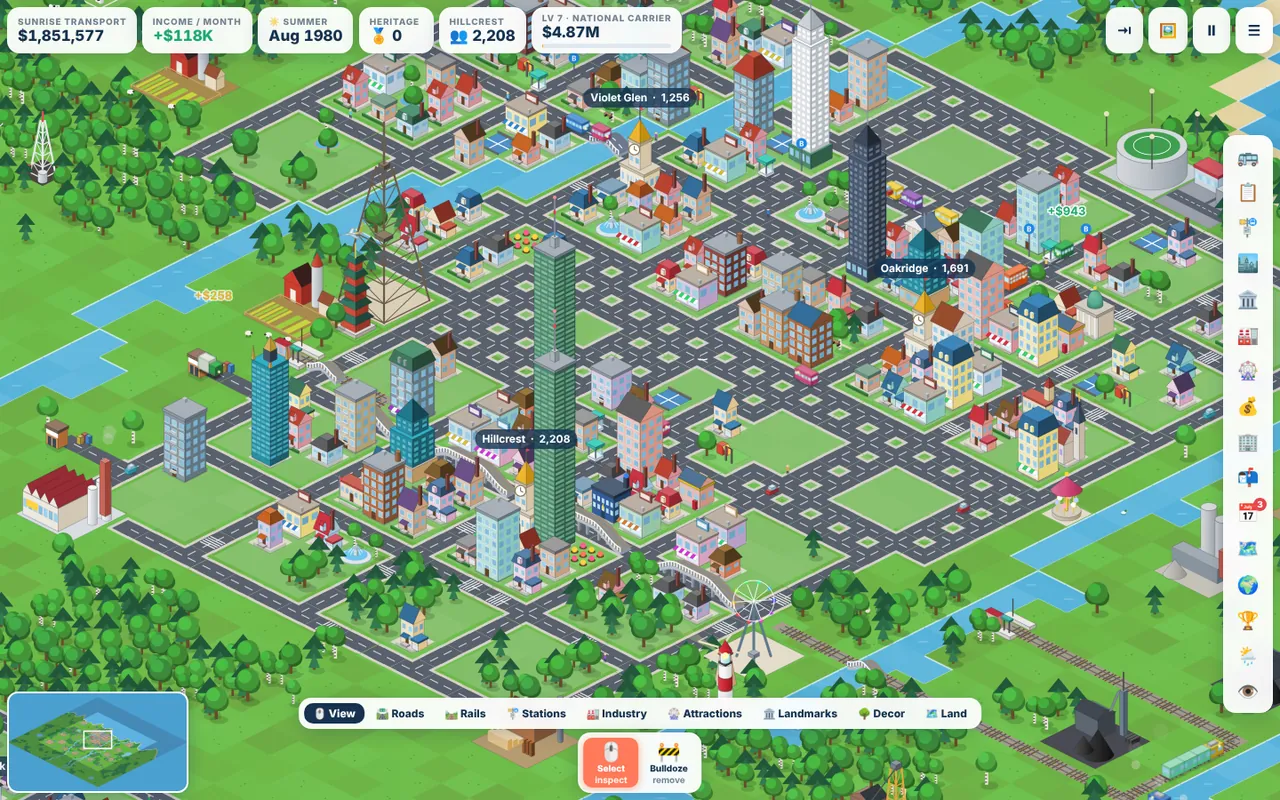
Reading the screen
- Top bar. Cash, income over the last month, the date and season, Heritage Points, the selected town and its population, and your company level with a progress bar. Click the town box to jump between towns.
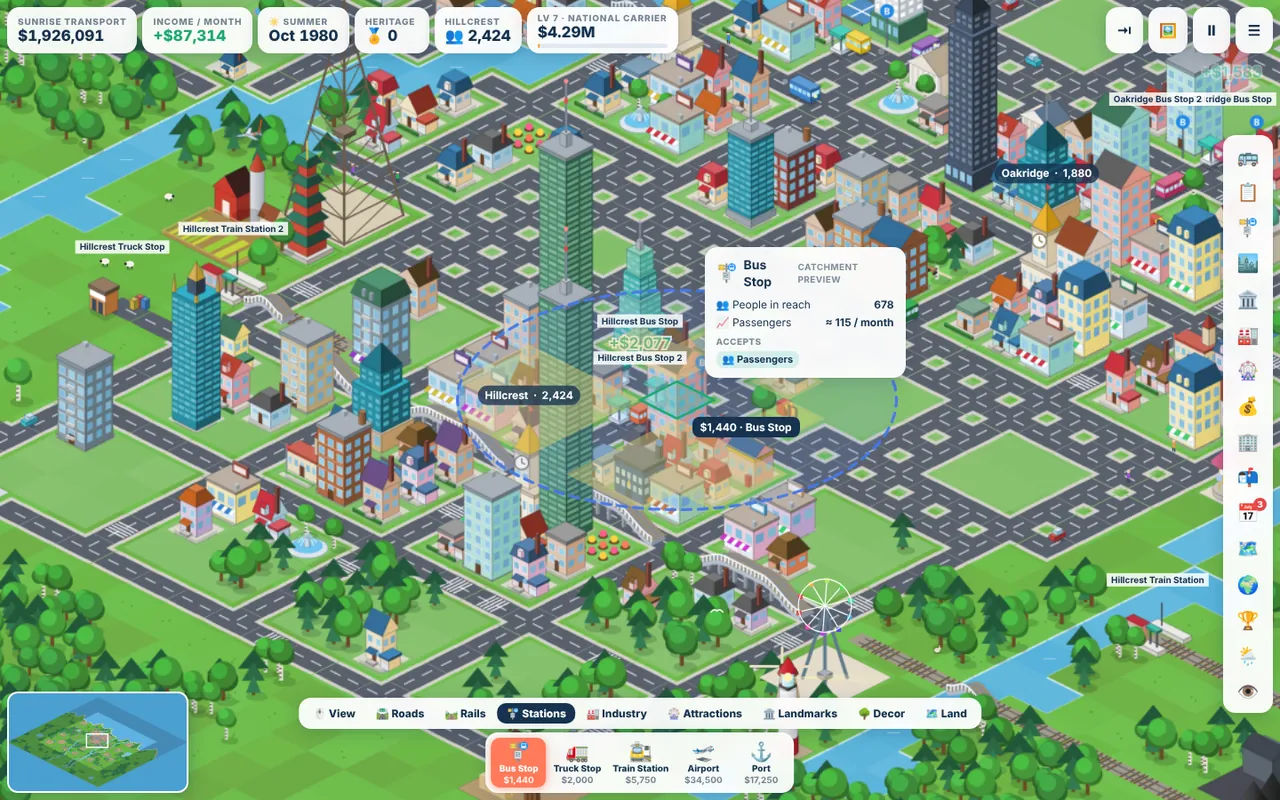
- Build menu (bottom). Tabs for View, Roads, Rails, Stations, Industry, Attractions, Landmarks, Decor and Land. Each tab shows its tools and their current price.
- Side bar (right). Windows for the vehicle depot, your fleet, stations, towns, the town council, industries, the attraction shop, finance, company stats, orders, daily rewards, map regions, the world map, achievements and seasons.
- Minimap (bottom left). Click or drag on it to jump anywhere on the map.
Controls
| Action | Mouse / keyboard |
|---|---|
| Move the camera | Drag the map, right-drag, or WASD / arrow keys |
| Zoom | Mouse wheel, or + and − |
| Pause and resume | Space |
| Road, rail and bulldoze tools | R, T and B |
| Draw a perfectly straight line | Hold Shift and click the start and end tiles |
| See through tall buildings | V |
| Hide the whole interface for screenshots | H |
| Hide the side bar | Tab |
| Cancel a tool or open the pause menu | Esc |
Your first ten minutes
The game opens with an optional guided tour. Your guide, Daniel, lights up exactly what to click while everything else stays locked. You can skip it, or replay it later from the main menu or pause menu. Without the tour, the order of play looks like this:
- Open Stations and place a Bus Stop on a street in one town.
- Place a second bus stop in another town.
- If the towns are not already joined, open Roads and drag a road between them. Crossing a river builds a bridge automatically.
- Open the Vehicle Depot, choose a Minibus, pick your two stops as the route and press Buy.
- Watch the money come in. Then add a second vehicle, a third town, and keep going.
The full walkthrough, with the reasoning behind each choice, is in Your first profitable bus line.
How you earn money
Vehicles shuttle back and forth between two stations. At each end they load whatever is waiting, drive to the other station and get paid on arrival. A fare depends on four things:
- Distance. Longer trips pay more per passenger, and the bonus keeps growing up to about 90 tiles, where a trip pays roughly double the short-hop rate.
- Cargo. Manufactured goods pay the most, followed by fuel, steel and food. Raw materials such as stone and logs pay the least.
- Vehicle type. Trains, ships and especially planes earn more per unit than road vehicles.
- Vehicle tier. Newer models carry more and earn slightly more per unit.
Money goes out too. Each month you pay upkeep on vehicles, stations, industries and attractions, plus interest if you borrowed from the bank. The income figure in the top bar is your best guide to whether the network is healthy.
What grows your towns
Towns grow when you deliver passengers to them. Each new resident helps fill empty lots with houses. Once a town passes about 110 people, houses start turning into apartments, shops and offices. Past about 420, skyscrapers appear near the centre. Towns lay new streets on their own when they run out of space. Read Growing your towns for the details.
Saving your game
Your progress saves to the cloud automatically. As a guest it is tied to the browser you play in. If you sign in with Google from the main menu, your company follows you to any computer and you can appear on the leaderboards under a nickname and country flag.
Browser City Tycoon is built for a mouse and keyboard, so it needs a laptop or desktop computer. On a phone you can still read the guides.
Ready to try it? The game runs in your browser on a laptop or PC, and it is free.
Play Browser City TycoonNext guide: Your first profitable bus line